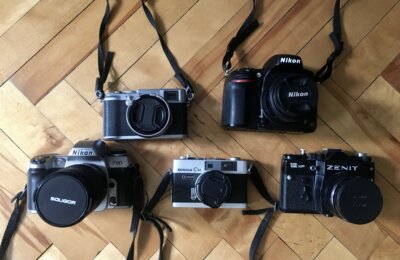
The age-old debate There are those that stand by film photography and the rest that use…
The Traveler’s Dilemma: Full-Frame DSLR vs. iPhone
1.
The Traveler’s Dilemma: Full-Frame DSLR vs. iPhone
The Ultimate Travel Camera - In Your Pocket or in Your Bag?
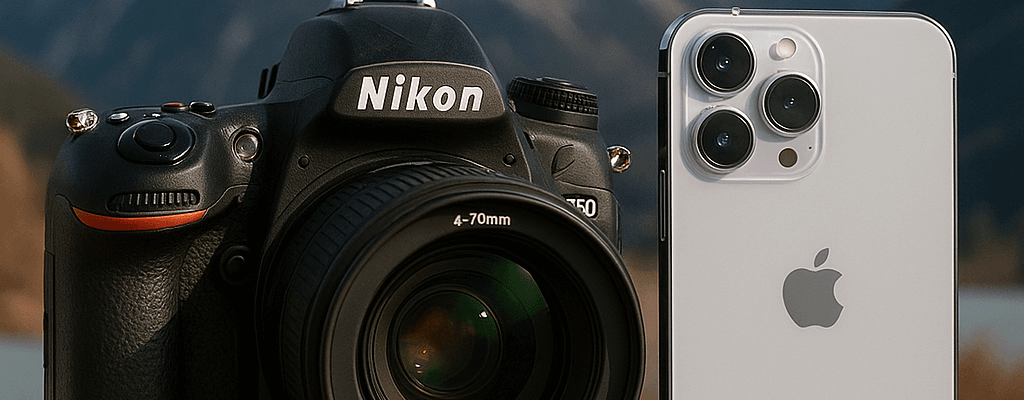
Imagine standing before a breathtaking sunset in Santorini or amidst the vibrant chaos of a Marrakech market. The question is not if you should capture the moment, but how. This decision often boils down to a choice between two powerful tools: the deliberate, un-compromised quality of a full-frame DSLR camera, or the smart, ever-present convenience of a modern iPhone.

The full-frame DSLR has long been the apex of photography, a tool for those who seek total creative control and image
In the other corner is the modern iPhone (models 13 Pro and newer), which is far more than just a phone that takes pictures. It is an incredibly smart camera, a pocket-sized powerhouse that leverages sophisticated software to create stunning, shareable images with a single tap.
While the lines between these two devices are blurring, fundamental differences remain. This guide explores what truly matters for a traveler: the quality of the image, the freedom to be creative, the practicalities of the journey, and the ease of telling a story. It is designed to help determine whether the best travel camera for any given trip is the one that fits in a pocket or the one that requires a dedicated camera bag.
The Heart of the Image - Sensor Size and What It Really Means
The Big Window vs. The Smart Eye: A Simple Analogy
At the core of any digital camera is its sensor. The most significant physical difference between a full-frame DSLR and an iPhone lies in the size of this sensor.
An effective way to understand this is to imagine trying to see into a dim room through a window. A full-frame DSLR sensor is like a giant picture window; it lets in an enormous amount of light effortlessly, revealing all the details inside. An iPhone sensor, by comparison, is like a small porthole. To figure out what's in the dark corners, the iPhone must use incredibly clever software to analyse the scene and intelligently "guess" or reconstruct the missing information. The DSLR doesn't have to guess; it simply sees it.
The physical size difference is stark. A full-frame sensor measures approximately 36mm x 24mm. The main sensor in an iPhone 13 Pro is vastly smaller, at around 9.6mm x 7.2mm.10 This means the DSLR's sensor has a much larger surface area, giving it a fundamental advantage in its ability to gather light.
In Bright Sunlight (The Great Equalizer)
Under ideal, sunny conditions, the performance gap between the two devices is considerably narrower. The iPhone's small sensor, paired with its powerful software, can produce vibrant, sharp, and "Instagram-ready" photos that are often difficult to distinguish from a DSLR's on a small screen. The iPhone offers the option to automatically process each image to look punchy and appealing, while a DSLR's unedited RAW file might look comparatively "flat" or less exciting straight out of the camera memory card. For travellers who primarily shoot during the day for social media, the significant extra cost and bulk of a DSLR may not yield a proportionally better result for their main use case.
When the Lights Go Down (The Champion Emerges)
Low-light situations are where the "big window" of the DSLR sensor truly demonstrates its superiority. Whether capturing a candlelit dinner, a twilight cityscape, or the interior of a dimly lit temple, the larger sensor gathers more light with less effort. This results in cleaner, more detailed, and more natural-looking photos with significantly less grain, or "noise". The iPhone's "Night Mode" is an impressive computational trick that rapidly captures and stacks multiple photos to digitally reduce noise and brighten the scene. While the results can be remarkable, they can sometimes appear overly processed or artificial to a trained eye. The DSLR's low-light strength comes from its superior physics, allowing it to capture a more authentic representation of the scene
The Print Test (The Unforgiving Truth)
While photos may look similar on a phone screen, the true test of image quality comes when a photo is printed and enlarged. If the goal is to create a large print for a gallery wall, the DSLR's advantage becomes undeniable. The larger sensor captures far more subtle detail, texture, and a wider range of tones from the brightest highlights to the darkest shadows. This means rich, beautiful prints with depth and detail. An iPhone photo, when enlarged, may start to look "mushy" or lose fine detail, revealing the physical limitations of its smaller sensor.
The core difference, therefore, is not just about megapixels but about how each device solves the problem of capturing light. The DSLR uses superior physics via its large sensor to capture a high-fidelity, authentic representation of the light and detail in a scene. The iPhone uses superior processing via its computational software to interpret and optimise a signal from a much smaller sensor. This distinction is crucial for understanding the final "feel" of the image—one is a faithful recording, the other a sophisticated reconstruction.
Creative Freedom - Lenses, Control, and That Blurry Background
The DSLR's Arsenal: A Lens for Every Dream
A DSLR's greatest strength is its creative versatility and variety, which comes from its ability to use interchangeable lenses. This is not just about zooming; it is about altering the perspective and style of an image
- Telephoto Lens: This lens brings distant subjects close without sacrificing image quality. It is essential for capturing wildlife on a safari, the details on a mushroom on the forest floor after a rainy day, or isolating architectural details on a historical object
- Wide-Angle Lens: This lens is perfect for capturing sweeping landscapes in Iceland, a rugged mountain backdrop, or the entire expanse of a grand plaza in Rome. It creates an immersive and scenic feeling.
- Prime Lens: These lenses have a fixed focal length (they don't zoom) but feature a very wide maximum aperture, such as f/1.8. This makes them incredible for shooting in low light and for creating a beautiful, natural background blur that makes subjects stand out.
The iPhone's Smart Lenses: Clever but Contained
The iPhone features a sophisticated multi-lens system, typically including an ultra-wide, a standard wide, and a telephoto lens. This offers impressive flexibility for a device that fits in a pocket. However, it is crucial to understand the difference between optical zoom and digital zoom. The iPhone's telephoto lens provides true optical zoom, which maintains high quality. Any zoom level beyond that is digital zoom, which is essentially just cropping the image and enlarging it. This process results in a significant loss of detail and a "pixelated" or soft look. A DSLR with a telephoto lens, in contrast, provides high-quality optical zoom across its entire range.
This highlights a key difference in creative approach. The act of choosing and mounting a specific lens on a DSLR is a deliberate, pre-meditated decision that defines the type of photo one intends to make. The iPhone user, by contrast, typically reacts to a scene and chooses from a limited set of pre-defined perspectives. This makes the DSLR a tool for proactive artists who plan their shots, while the iPhone excels as a tool for reactive documentarians capturing life as it happens.
The Battle for Bokeh (That Dreamy, Blurry Background)
Natural Depth (The DSLR's Art)
The soft, blurry background in a professional portrait is known as "bokeh," and with a DSLR, this is a natural phenomenon of physics. By using a lens with a wide aperture, a photographer creates a shallow "depth of field," which causes everything behind the main subject to melt away into a pleasing, creamy blur. This effect is authentic and is one of the most powerful tools for separating a subject from a busy or cluttered background.
Simulated Depth (The iPhone's Science)
The iPhone's "Portrait Mode" achieves a similar effect using software. It uses its cameras and sensors to create a digital depth map of the scene, identifies the subject, and then algorithmically blurs the background. While the results are often shockingly good, it is still a simulation. The software can sometimes make mistakes, unnaturally blurring the edges of hair or the space seen through a pair of glasses, creating a "cut-out" look that reveals its artificial nature.
This debate over bokeh quality reveals a core difference between the two systems. While the iPhone's simulation is often "good enough," the moments it fails highlight an underlying truth: the DSLR captures optical reality, while the iPhone reconstructs it. For the photographer who value the purity and perfect imperfections of real physics, the DSLR's authentic bokeh remains superior.
The Brains of the Operation - The Photographer vs. The Processor
Computational Photography: The iPhone's Secret Weapon
The term "computational photography" can sound technical, but it is best understood as having a professional photo editor working automatically inside the phone on every single shot. This "secret weapon" is what allows the iPhone to overcome the physical limitations of its small sensor.
This internal editor performs several tasks instantly:
- Smart HDR: It blends multiple exposures in high-contrast scenes to ensure that both the bright sky and the dark shadows are properly exposed, retaining detail in both.
- Night Mode: In the dark, it rapidly captures and merges numerous images to reduce grain and create a brighter, cleaner final picture.
- Deep Fusion: It analyses images pixel by pixel to optimise texture and detail.
The goal of all this processing is to produce a punchy, vibrant, and social media-ready image that requires zero effort from the user.
The DSLR's Raw Power: The Digital Negative
Shooting in RAW format on a DSLR is akin to creating a "digital negative." It is a completely unprocessed file that contains all the raw data captured by the camera's large sensor. Straight out of the camera, a RAW file often looks flat, dark, and unimpressive.
Its true power lies in its flexibility during the editing process. Using software like Adobe Lightroom, a photographer has complete control to recover details from shadows and highlights that would be lost in a standard image file, precisely adjust colours, and create a final image to match an artistic vision. An iPhone's heavily processed image contains far less original data, offering much less ground for significant edits later on.
This distinction shapes the user's role in the photographic process. The iPhone presents a nearly finished, algorithmically perfected image, making the user a curator whose main job is to select the best shot. A DSLR provides raw, unfinished material, making the user a creator whose job is to build the final image from scratch.
A Tale of Two Workflows: Instant Gratification vs. The Creative Process
The journey of a photo from capture to sharing highlights the profound practical differences between the two devices.
- iPhone Workflow: The process is seamless. A user can snap a photo, apply a quick edit in a mobile app, and share it to Instagram in under a minute, all from the same device, anywhere in the world. It is an integrated experience designed for immediacy.
- DSLR Workflow: The process is more involved. After taking the photo, the user must later remove the memory card, use a card reader to transfer the large RAW files to a laptop, import them into editing software, spend time processing the images, export them as JPEGs, and then finally transfer them to a phone or upload them to the web. While newer cameras have Wi-Fi and Bluetooth capabilities, the process still remains “longer” and more systematic than an iPhone workflow.
This means the definition of a "better" image is subjective and depends entirely on context. For the purpose of immediate social sharing, the iPhone's computationally enhanced photo is often of higher perceived quality than a flat, unedited DSLR file. The truly superior image depends on the user's ultimate goal and timeline.
Table: A Workflow Comparison
| Step | iPhone Workflow | Full-Frame DSLR Workflow |
| 1. Capture | Point and shoot. Photo is instantly saved and processed. | Compose and shoot. Photo saved as a large RAW file. |
| 2. Transfer | None. Photo is already on the sharing device. | Requires memory card, card reader, and laptop. (Wi-Fi transfer is possible but can be slow and significantly extend the process). |
| 3. Editing | Optional. Quick edits on phone with apps like Apple Photo or Lightroom Mobile. | Essential. Requires dedicated software (Lightroom, Photoshop) on a computer for best results. |
| 4. Sharing | Instant. Share directly from photo library to social media. | Requires exporting edited photo and transferring it to a phone or uploading from a computer. |
| Time to Share | < 1 minute | 15 minutes to several hours |
The Travel Reality - Weight, Spontaneity, and Cost
The Burden of a Better Photo: The Practicality Test
The practical differences when traveling are immense. An iPhone slides into a pocket and is forgotten until needed. A full-frame DSLR system involves a camera body that can weigh at least a couple kilograms, multiple heavy lenses, spare batteries, and a dedicated camera bag.
This physical reality impacts the travel experience. Navigating a crowded airport, hiking a steep trail, or exploring a city on foot for hours can make the weight and bulk of a DSLR a significant burden. In some cases, this can discourage a photographer from taking the camera out at all, reinforcing the old adage that the best camera is the one you have with you. The true "cost" of a DSLR for a traveler is therefore not just financial, but also physical and experiential. The effort required to get a "better" photo can sometimes detract from the enjoyment of the trip itself.
Capturing the Moment: Spontaneity vs. Deliberation
The iPhone is the undisputed king of spontaneity. A fleeting moment—a street performer's sudden smile, a child chasing pigeons in a square—can be captured in seconds. Its discreet nature makes it ideal for candid street scenes and food photography without drawing attention.
Using a DSLR is a more deliberate and thoughtful act. It requires stopping, unpacking gear, and carefully composing a shot. This methodical approach is perfect for dedicated photo sessions, such as capturing a sunrise over a landscape or a planned portrait, but it is less suited for life's unscripted moments.
The Investment: Your Wallet's Perspective
The financial commitment for each system is significantly different. An iPhone is a multi-purpose device that most people would purchase anyway for communication, navigation, and entertainment. Its high-quality camera can be seen as an included feature in a device that costs between $1,200 and $1,500. For many travellers, this makes the camera's effective cost zero.
A full-frame DSLR, however, is a specialised, single-purpose investment. A body alone can cost $1,500 or more, and quality lenses can add hundreds or even thousands of dollars each. A complete starter travel kit can easily cost over $3,000, and its value must be justified by its photographic output alone.
Capturing Your Travel Story in Motion
The Video Showdown: Cinematic Feel vs. Smart Features
DSLR Video
With their large sensors and high-quality lenses, DSLRs naturally produce video with a "cinematic" look, characterised by a shallow depth of field, excellent performance in low light, and rich, accurate colours. They offer full manual control, which is ideal for professionals but can present a steep learning curve for beginners.
iPhone Video
The iPhone is designed for ease of use in video, with excellent automatic exposure and focus that are perfect for vlogging and capturing moments on the go. It uses powerful software to add features that mimic professional techniques without the complexity. The iPhone's strategy is to automate complexity; it takes high-end videography techniques that require expensive equipment and skill—like focus pulling and stabilisation—and makes a similar aesthetic accessible to everyone.
Decoding the iPhone's Video Magic
"Cinematic Mode"
This feature can be described simply as "Portrait Mode for video." The software identifies subjects and creates an artificial shallow depth of field, even automatically shifting focus when one person looks away from the camera or another enters the frame. It adds a movie-like quality to clips, but like its photo counterpart, the digital effect can sometimes show imperfections around the edges of a subject. It is a powerful tool for beginners who want a cinematic look without the added burden of a learning curve.
"Action Mode"
This feature is a super-powered digital stabilisation system, effectively a virtual gimbal built into the phone. When a user is running, walking on a bumpy trail, or shooting from a moving car, Action Mode crops in slightly on the sensor to create incredibly smooth, steady footage. This digital stabilisation can be even more effective than the optical stabilisation in many DSLRs for counteracting intense movement, though it may result in a slight reduction in overall image quality. For the average traveler capturing the dynamic, unpredictable nature of a trip, the iPhone's combination of portability and powerful stabilisation often makes it the more practical and reliable choice for video.
DSLR vs iPhone Photography - Choosing Your Perfect Travel Partner: So Which Camera Should You Pack?
The choice between a full-frame DSLR and an iPhone is not about which is "better," but which is better suited to the traveler and the trip. Each has a distinct set of strengths.
- Full-Frame DSLR: Offers unmatched image quality, ultimate creative control, optical authenticity, and superior performance in challenging light. It is a tool for the dedicated artist who prioritises quality above all else.
- iPhone: Provides convenience, incredible spontaneity, powerful computational processing for instant results, and a seamless workflow for sharing stories in real time. It is a tool for the modern storyteller who values immediacy and portability.
- Pack only the iPhone if: You are a minimalist traveller, your photos are primarily destined for social media, you value convenience and spontaneity above all, and you want a simple, powerful tool that "just works" without a steep learning curve.
- Pack the DSLR if: You are a passionate photography hobbyist or professional, you intend to make large prints of your work, you need the reach of a true telephoto lens for subjects like wildlife, or the manual process of crafting an image is part of the joy of photography for you.
The Hybrid Solution: The Best of Both Worlds
For many serious travellers including myself, the ultimate answer is not "either/or" but "both/and". This hybrid approach leverages the unique strengths of each device, creating a comprehensive storytelling toolkit.
- Use the iPhone for: Spontaneous moments, quick social media updates, food photography, vlogging, and any situation where a large camera would be impractical or intrusive.
- Use the DSLR for: The epic landscapes at sunrise, nighttime cityscapes and time lapses, planned portraits, the wildlife you travelled thousands of kilometres to see, and any image destined for a large print on your wall.
More to Explore

Comments (0)